Aged care fees & admissions
Aged Care Cost of Care Forms Go Online-Only: The 30 November 2026 Print Form End and the Provider Workflow
On 25 August 2026 Services Australia announced that from 30 November 2026 it will stop providing printed aged care calculation of your cost of care forms through its print ordering system. Care recipients and their correspondence nominees must apply online through myGov — or use the downloadable version of the form from the Services Australia website. For residential aged care providers, the change lands in the middle of the busiest admissions season of the year: the SA457 means assessment is a gate before a resident can be billed at their correct means-tested care fee, and a refundable accommodation deposit cannot be paid until the assessment is finalised. Here is what the change means for your intake, billing and governance processes, the six operational actions, and the 30-day workflow that keeps resident fee letters on time.
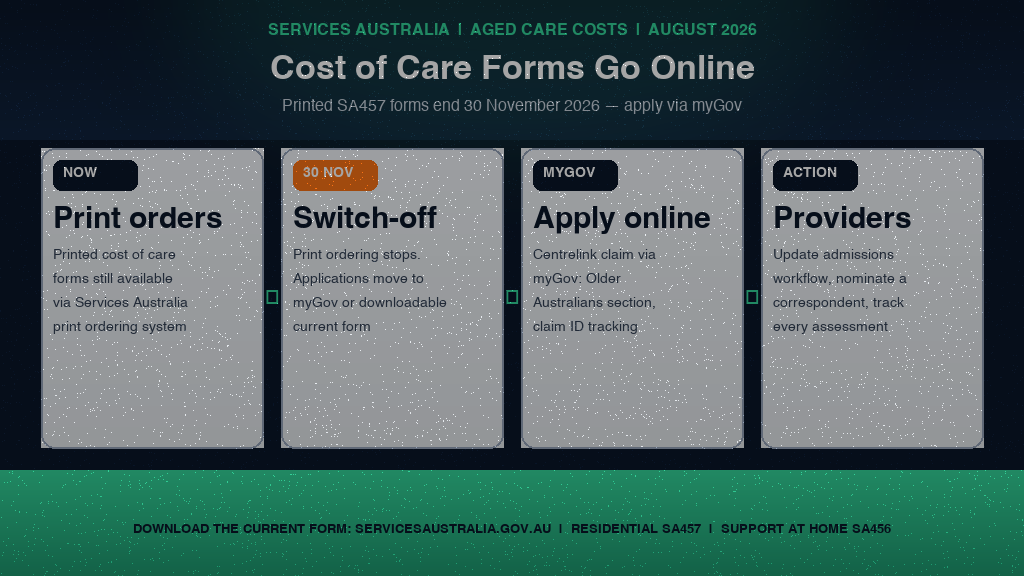
On 25 August 2026, Services Australia announced that from 30 November 2026 it will stop providing printed aged care calculation of your cost of care forms through its print ordering system. The change is small in wording and large in effect: the paper pathway that has carried the means assessment process for years is being closed, and the online myGov application — or a downloaded, current-version form — becomes the only route into a resident's cost of care calculation.
Background: what the calculation of your cost of care actually is
The aged care calculation of your cost of care is the financial check that sets what a person pays towards their aged care home. Services Australia reads the person's income and assets from the application, conducts the residential aged care means test, and issues a fee advice letter that itemises the basic daily fee, the means-tested care fee and accommodation costs. That letter is what a provider's billing system, resident agreement and family communications all hang off.
The paper form behind the residential process is the SA457 — the calculation of your cost of care form — which Services Australia asks people to lodge when they are moving into an aged care home, or already live in one, and do not receive a relevant income support payment. People who receive a means-tested income support payment and own their home lodge the SA485 property details form instead; people receiving a relevant income support payment without home ownership need no application at all; veterans on means-tested DVA payments go through DVA; and the Support at Home stream uses its own version, the SA456. For the majority of privately funded and part-pension residential entrants, the SA457 is the form that starts the fee clock.
The consequences of a missing assessment are material. If no application reaches Services Australia, a provider may charge the resident at the maximum contribution rate until the annual, lifetime and time-limited caps stop the billing. A resident cannot pay for accommodation with a refundable accommodation deposit (RAD) until the means assessment is finalised or a "means not disclosed" status is recorded — until then, accommodation is billed as non-refundable daily payments. The means assessment is therefore not an administrative nicety; it determines how a resident is billed from day one, and how much of their RAD a provider can hold.
What changed and when: the 25 August announcement and the 30 November switch-off
Three elements define the new position:
- 25 August 2026 — the announcement. Services Australia published the change notice confirming that from 30 November 2026 it will stop providing printed aged care calculation of your cost of care forms through its print ordering system. The notice is aimed at providers as well as older people, because providers are the ones who steer residents to the right form at admission.
- 30 November 2026 — the switch-off date. After this date, care recipients or their correspondence nominee must apply online for the aged care calculation of your cost of care. The online route is myGov: sign in, access Centrelink, start a claim, and select the aged care calculation of your cost of care under Older Australians.
- The form itself does not disappear. Providers and residents can still download and print the form from the Services Australia website if needed — but they must use the current version to avoid delays for care recipients. The change ends the print-ordering pathway, not the form as a document.
The online application has three steps: get ready (a Centrelink online account linked to myGov, with supporting documents on hand), make the application (myGov, Make a claim, Older Australians, then Apply for Aged care calculation of your cost of care), and track it (a receipt with the claim ID number, trackable in myGov or the Express Plus Centrelink mobile app). Two details matter operationally: an application started online must be submitted within 13 weeks or it expires and must be restarted, and anyone who cannot apply online can still apply by form — the paper route remains, but as a downloaded document rather than a printed form in the ordering system.
Operational impact: six things every residential aged care provider should do now
The change does not rewrite the means test — it rewrites the intake workflow around it. Six actions follow for every residential provider:
- Audit how your admissions team currently obtains the SA457. If your intake pack includes a printed form ordered through Services Australia's print system, that pathway closes on 30 November. Identify every resident file that still flows through it and migrate the process to the online application or the downloaded current version before the switch-off.
- Build the myGov application into your admission checklist. The online claim is now the primary route: myGov, Centrelink, Make a claim, Older Australians, then Apply for Aged care calculation of your cost of care. Admissions staff should know the steps cold, including the 13-week expiry on started-but-unsubmitted applications and the claim ID tracking receipt.
- Establish the correspondence nominee conversation. Many residents cannot manage a myGov identity or a digital claim unaided. The online process explicitly allows a correspondence nominee to apply on the resident's behalf. Providers should raise nominee arrangements at admission, document them in the resident record, and keep the nominee's details current — a stalled claim is a billing gap.
- Update your fee and accommodation communications. The link between the means assessment and billing is unchanged: maximum contribution rates apply until the assessment lands, and a RAD cannot be paid until the assessment is finalised or "means not disclosed" is recorded. Family communications about when the fee advice letter will arrive should reflect the new application route and its realistic processing time.
- Govern the "can't apply online" path. Residents who cannot apply online can still apply by form — but it must be the current downloadable version. Outdated form versions cause delays for care recipients. A version-controlled copy of the current form, with a re-check date, belongs in your admissions governance folder.
- Track every means assessment as a compliance task. A means assessment has a start date, an owner (provider staff, resident, or nominee), a 13-week submission window, a claim ID and a status. Providers who track these fields in a register can see a stalled claim before the family does — and can evidence the follow-up if a fee dispute or audit ever asks how the process was managed.
A 30-day workflow to switch your admissions process before 30 November
Preparing for the switch-off is a focused, documented routine. This 30-day workflow gives an admissions or compliance manager a complete digital-migration position:
- Days 1-5 — Inventory the current paper flow. Map every place a printed SA457 (or SA456 for Support at Home) currently enters your process: admission packs, discharge planning, family handbooks, website resources, front-desk stock. Note which residents are mid-assessment today and their claim status.
- Days 6-10 — Run the online application end-to-end. Have one staff member complete a test claim (or walk a real resident through one) from myGov login to claim ID receipt. Document the steps, the 13-week expiry behaviour, and the tracking screen so the process is reproducible — and note the supporting documents Services Australia may request.
- Days 11-15 — Update admission and family materials. Replace print-ordering references in your admission packs, website and family information sheets with the online route and the downloadable current form. Add the correspondence nominee option to your admission conversation checklist.
- Days 16-20 — Build the means-assessment register. Create a register (or a workflow in your compliance system) with one row per resident: application start date, owner, nominee details, submission deadline, claim ID, assessment status, fee advice letter date. This is the file you would show an auditor who asks how a resident's fee was set.
- Days 21-25 — Train admissions and front-desk staff. Run a short session on the new route: myGov steps, nominee arrangements, the "can't apply online" fallback to the current downloadable form, and what to do when a claim stalls (follow-up, tracking via myGov or the Express Plus Centrelink app).
- Days 26-30 — Test and sign off. Run a dry admission with the new workflow from enquiry to claim submission. Confirm the current form version is stored, dated and accessible, and have the approved provider or responsible manager sign the migration off before 30 November.
How NovoCove supports this
The 30 November change is an administrative switch with a governance shadow: a means assessment is now a tracked workflow with dates, owners, nominees and statuses, sitting inside a broader admissions and fee process that regulators and auditors can ask about at any time. NovoCove is the data and evidence layer behind that process. It centralises staff certifications and training expiry for aged care — AHPRA registration, NDIS Worker Screening and more — with a 7-tier alert cadence, and it tracks compliance tasks with owners and due dates, so a stalled means assessment or an expired form version surfaces as an action with an owner rather than a memory. Policy review history, service-level records and audit trails live in the one dashboard, with a RAG compliance score and daily ComplianceSnapshot trend that show your position moving as work is completed. The same workflow is covered on the aged care compliance software page.
NovoCove does not replace your admissions team's judgement, your resident agreements, or your conversations with families. It gives leaders the underlying evidence layer: when a family asks why the fee advice letter is late, or an auditor asks how the means assessment was managed, the register, the follow-up history and the current-form record export in minutes. The same workforce data the regulator sees today is the data that keeps your service audit-ready through the transition.
Book a 20-minute demo and we will show you what your service's admissions and compliance evidence position looks like through that lens.
Sources / further reading
- Changes to printed aged care cost of care forms from 30 November — Services Australia, published 25 August 2026 (T1)
- How to apply for an aged care calculation of your cost of care — Services Australia, online application steps (T1)
- How to apply for an aged care calculation of your cost of care (by form) — Services Australia, downloadable form route (T1)
- Income and assets assessments for Support at Home — My Aged Care, SA456 (T1)
- The Calculation of Your Cost of Care Form (SA457) — Elderberry, updated 28 August 2026 (T3)
This guide is general information and is not legal advice.